Know what’s actually done.
Prizma reads Slack, your tracker, the code and your docs, checks them against what your tasks and projects claim, and hands you a short list of changes to approve. Nothing is written until you say so.
The people who join now shape what gets built.

Your records say one thing. Reality says another.
Tasks, project pages and trackers are full of claims. Slack, the code and support hold what actually happened. Keeping them in line is nobody’s job.
“Ship SDK auth refactor” is done.
It was merged into a feature branch. It never reached main.
Account health: good.
Three escalations in seven days, all about the same bug.
Setup notes: sent.
Drafted on Thursday. Never posted, never emailed.
Reading runs on its own. Writing never does.
Four steps, on a loop. Prizma does the reading and the cross-checking. You make the calls.
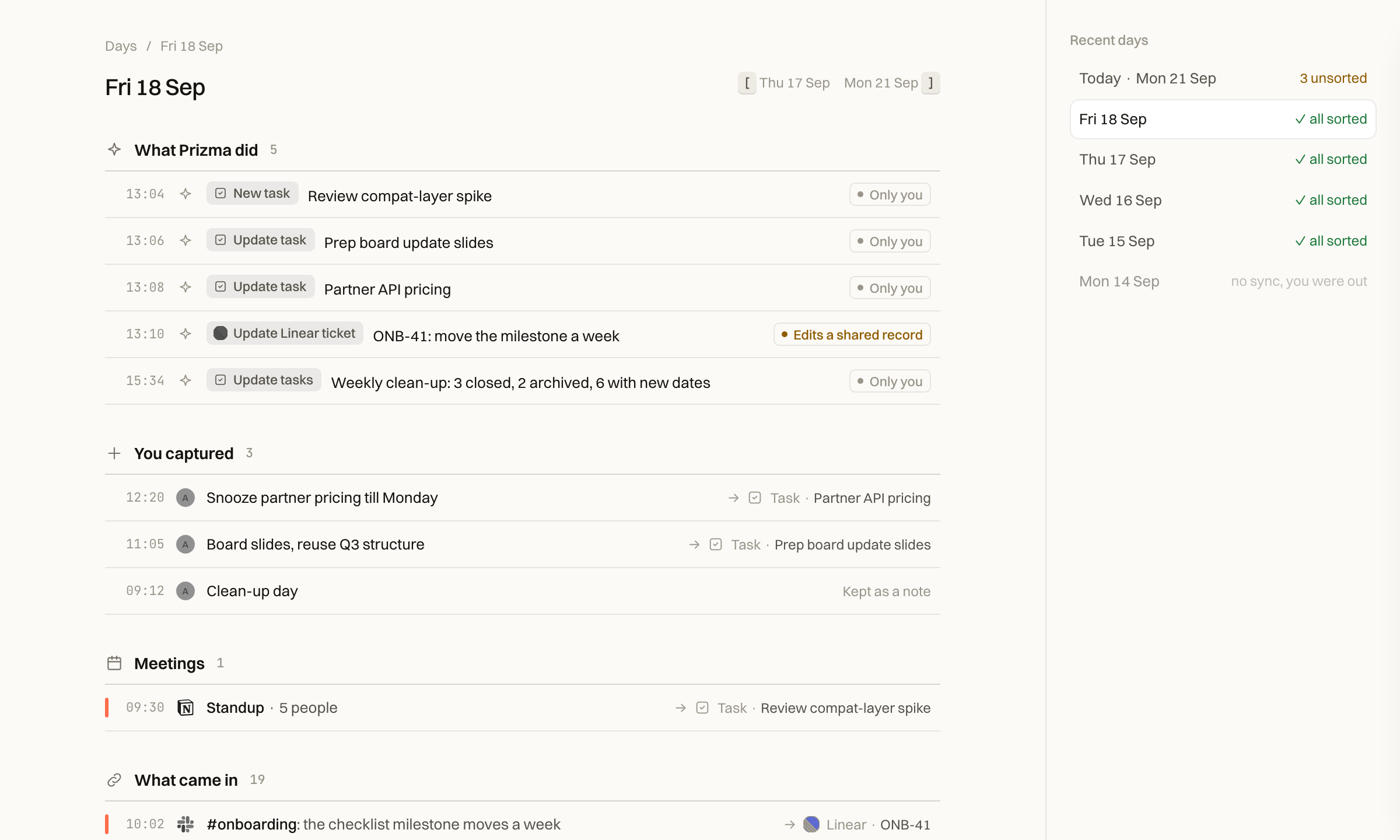
Dump it, don’t file it
A thought, a promise you just made, half a sentence from a meeting. No tags, no project, no date.
Read everything, together
Twice a day your AI assistant reads your tools for Prizma, next to your captures and open tasks, and works out what changed.
Decide from a short queue
Decisions first, then tasks that look finished, then updates to your tools and your records. Approving your own is one key. Rejecting asks why, in a line.
Nothing rots quietly
Once a week, everything that hasn’t moved comes back sorted: finished, still alive, waiting on someone, dead.
Every suggestion shows its receipts.
A summary can be wrong and you’d never know. Every suggestion shows what would change, what each source says, and what it couldn’t check.

Verified
Confirmed against a source: a change on the main branch, a published page, a link that opens.
~Claimed
Someone said so. A status or a message is a claim, not proof. That includes your own.
≠Conflict
Sources disagree. Prizma won’t close the task, and shows you both sides.
Not checked
A source wasn’t connected or couldn’t be read. It never counts as a pass.
No confidence scores. A single number hides exactly the part you need to see.

Decisions first. Prizma’s view comes after yours.
Each question only you can answer, with every option and what it costs. Your answer is kept as a decision.

Correct it once. It stays corrected.
When the same correction repeats, Prizma suggests a line for your profile, in your words. Your assistant reads it before every sync, so the lesson sticks.
Records that stay true after you stop looking.
Tasks, projects, decisions and who’s waiting on whom: not one more place to keep up to date.

Eighteen stale tasks, already sorted
Finished, still alive, waiting on someone or dead: accept a whole group at once. Anything resting on a claim alone waits for you.

Who is waiting on whom
A ledger, not a contact list, and you never fill it in. Longest wait first, because those are the ones that cost trust.

What the page says, and what’s true
Prizma checks each statement on your project page against the sources and suggests fixes. Each project shows when it was last checked.
Up and running in five minutes.
Connect the assistant you already use and every tool it’s connected to comes along. Nothing to install, nothing to wire up.
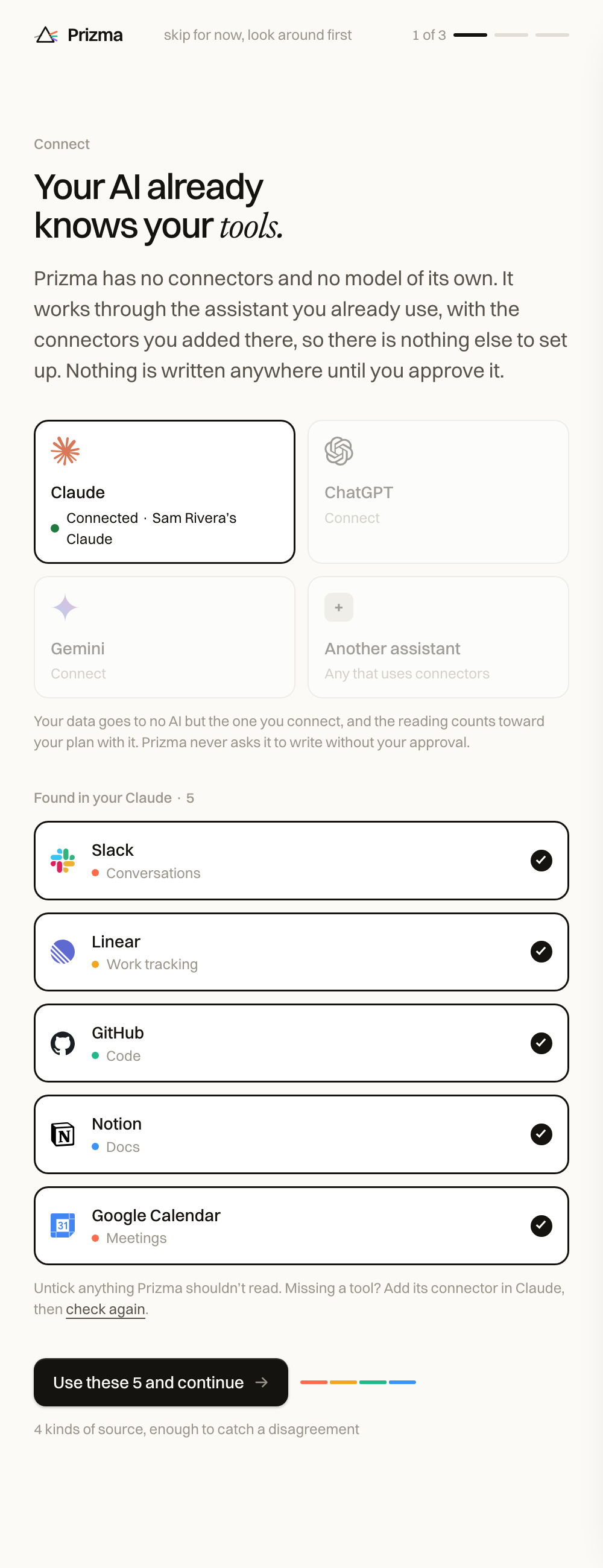
Your tools come with it
Sign in with Claude, ChatGPT or Gemini, and Prizma finds every tool your assistant reaches. Untick anything it shouldn’t read.
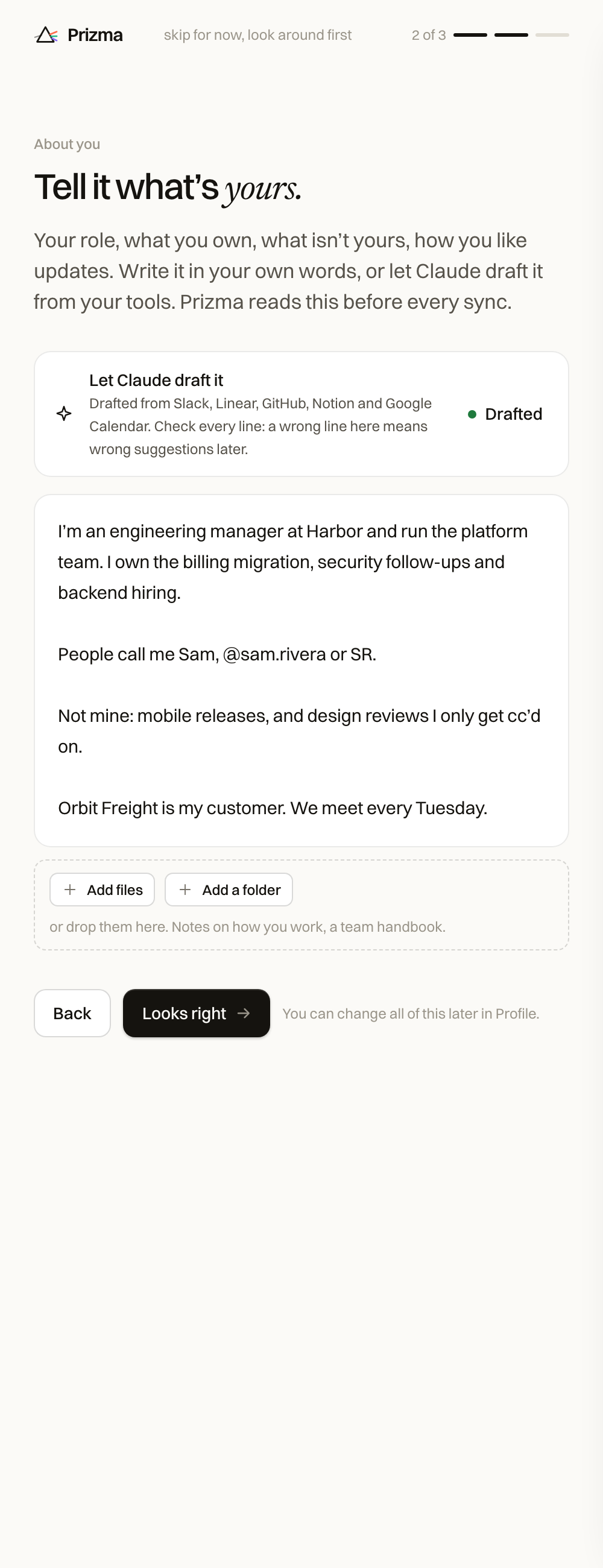
One page about you
Your role, what you own, what isn’t yours. Write it yourself, add a folder of notes, or press Onboard me and your assistant drafts it from your tools.
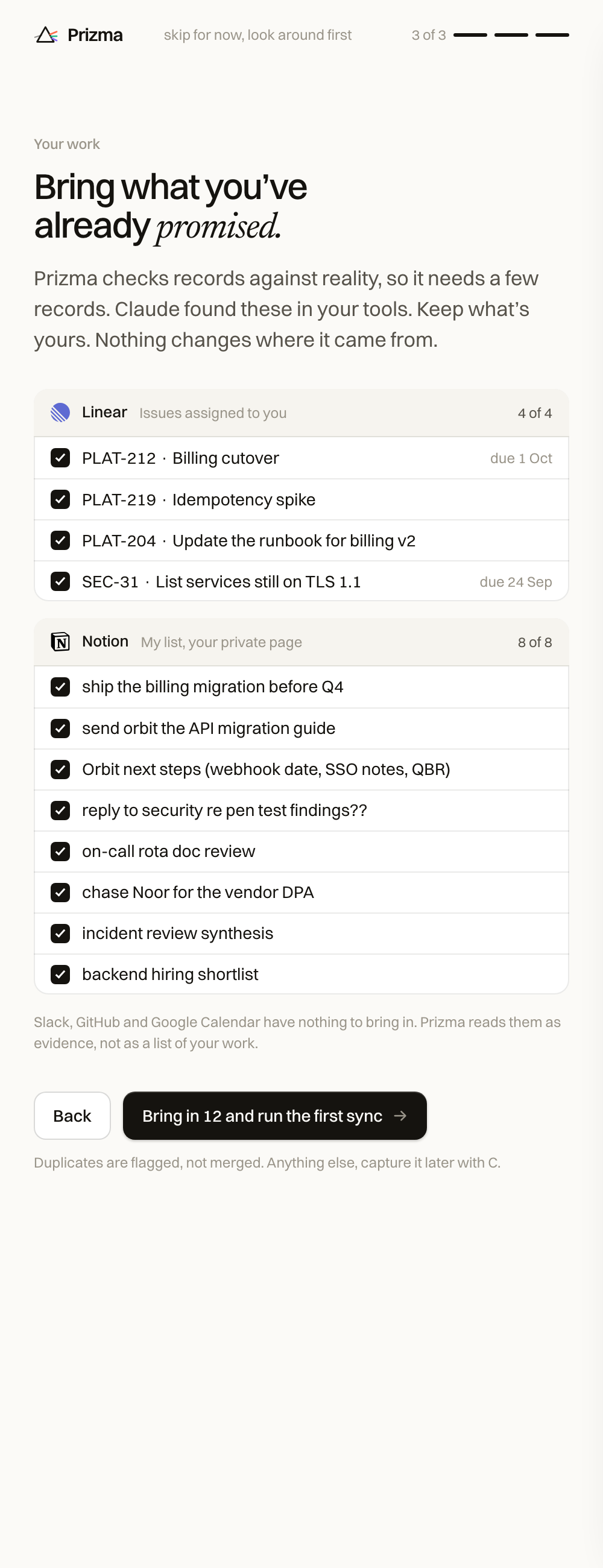
What you’ve already promised
The issues assigned to you and the lists you keep, found in your tools. Keep what’s yours.

Tell it how to treat each tool
Each tool shows up by name and logo. Add an instruction in plain words, like “Only read channels I’m in”: it can make Prizma more careful, never less.
Want this on your own tools?
No new AI for your security team to vet.
Prizma runs no model of its own. It works through the AI assistant your company already uses, so the security review is about one small app, not a new AI vendor.
Read with your access, nothing more
The one your company already uses
Your records and the queue you approve
Your AI does the reading
Your assistant reads your tools under the agreement your company already has with its provider. No Prizma model trains on your data.
Only what you can already see
Prizma reads with your permissions. It keeps your records, your profile and a quote with a link per suggestion, not a copy of your tools.
You approve every change
A sync only suggests. The more a change reaches, the more it asks of you:
- Only you: one key
- A shared record: the exact change first
- People notified: the exact text and a confirm
Built to ISO 27001 and SOC 2
Access control, encryption in transit and at rest, and audit logs, from the start.
For people whose job is knowing what’s true.
Product managers, tech leads
You promise things in five tools a day. Prizma keeps track of which promises you kept, which slipped, and who is still waiting on you.
Engineering and design managers
You act on your team’s status. When the tracker says ready and the branch says otherwise, Prizma shows you before the standup does.
Directors, VPs
Almost everything you know arrives second-hand. Prizma checks each statement on a project page against the sources, and tells you when it last did.
The ones we get first.
Does Prizma ever write on its own?
No. A sync only fills your review queue. Nothing in any tool changes until you approve it, then your assistant writes exactly what you saw. Anything that notifies other people needs an explicit confirm every time.
Which AI does it use?
Yours. Connect Claude, ChatGPT or Gemini, or any assistant that uses connectors. Prizma runs no model of its own, so your data goes only to the assistant your company already uses, under the terms you already have with it.
Does it replace my tracker or my docs?
No. Jira, Linear, Notion and the rest stay where your team works. Prizma keeps your own tasks, projects, decisions and people ledger, and suggests updates to the shared tools when they drift.
How is this different from the AI inside Slack or Jira?
An assistant inside one tool can only tell you what that tool says. Most of what goes wrong lives in the gap between tools: the ticket says ready, the branch says otherwise.
What if I ignore it for a week?
Nothing piles up. The next sync carries open suggestions forward, replaces the ones that changed, and withdraws the ones that are no longer true. You come back to one queue, not five days of them.
What if my assistant isn’t connected to everything?
Start with what it already reaches. Anything Prizma couldn’t check is shown as “Not checked” and never counts as a pass. It also tells you which tool, added to your assistant, would let it check more.
What does it read, and what does it keep?
It reads only what you can already see, through your own assistant and the connectors you set up there. Untick any tool, or tell Prizma in plain words what to leave alone. It keeps your records, your profile and the evidence behind each suggestion, not copies of your tools. We build to ISO 27001 and SOC 2 controls.
Start the week with records you can trust.
Join the waitlist. We’re onboarding product managers, engineering managers and product leaders at B2B SaaS companies first, and building with them.